Local audio
Capture conversations on desktop and keep the workflow on Mac.
Product
Record conversations, read the transcript, and leave with a ready memo.
Free beta for macOS. Local transcripts split by speaker, and a memo written on your Mac by Apple Intelligence.
macOS 15 or later · memo by Apple Intelligence (macOS 26 or later) or by Codex or OpenCode
Capture conversations on desktop and keep the workflow on Mac.
Review the conversation with lines organized by person.
Summary, decisions, actions, and open questions in a reviewable note.
No required purchase while the product matures with real feedback.
In the app
A sample meeting with made-up people and lines: the recording, the transcript split by speaker, and the memo ready to review.
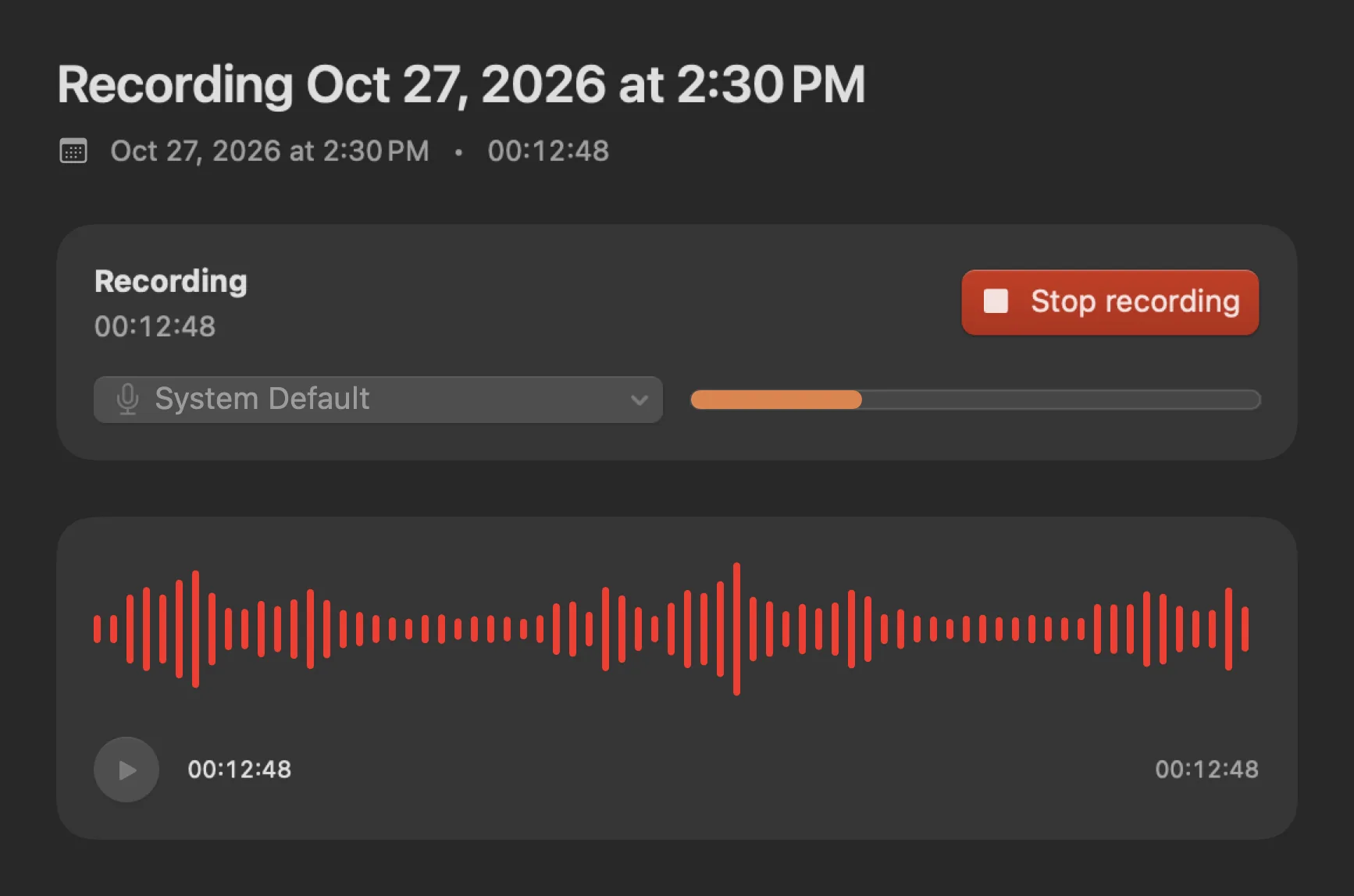
Elapsed time, input level and the live waveform while the conversation happens.
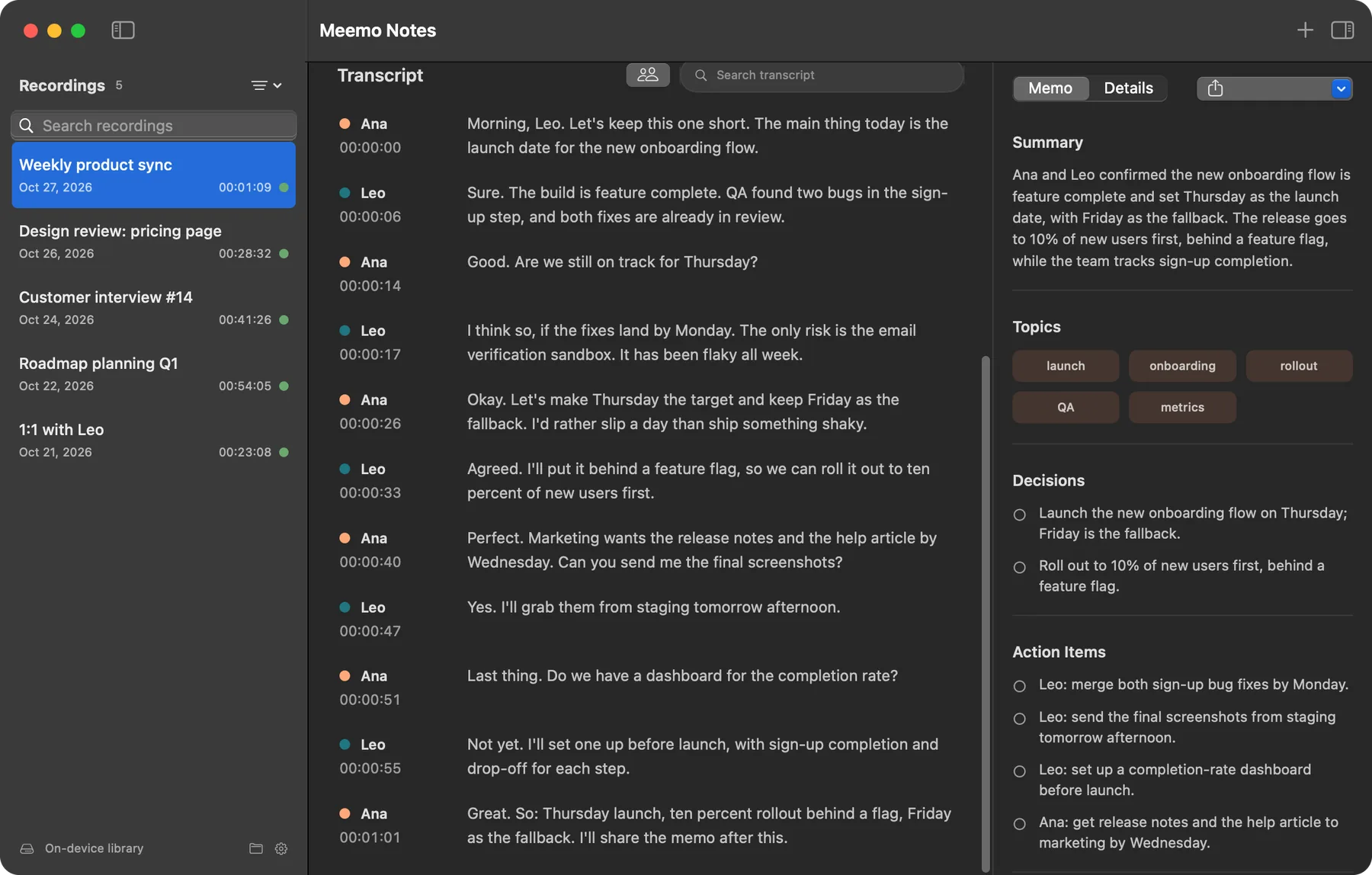
Every line with who said it and when, next to the memo.
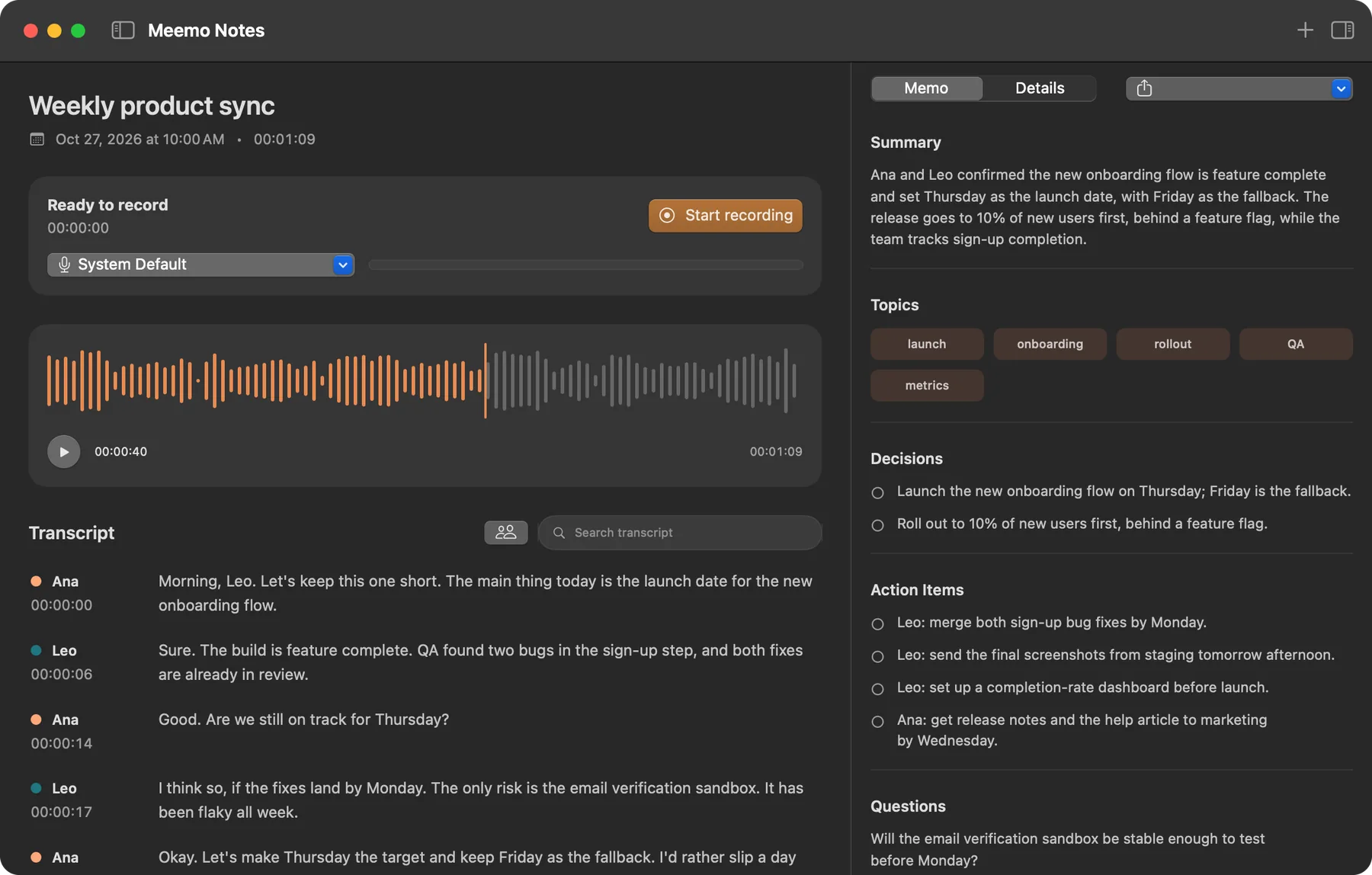
Summary, topics, decisions, next steps and what is still open.
Workflow
Meemo Notes closes the gap between a recorded conversation and a useful note that keeps work moving.
The memo is what the assistant sends back: it reads the transcript and organizes summary, topics, decisions, actions, and open questions, so you don't have to reread everything.
Nothing to install and no sign-in: on macOS 26 or later, Apple Intelligence writes the memo in the language of the conversation, and nothing leaves your Mac. If you prefer, Meemo uses the Codex or OpenCode install on your Mac instead.
Capture conversations directly on macOS with level preview and readiness status.
Organize text by speaker, time, and important excerpts for fast review.
Apple Intelligence, or Codex or OpenCode, organizes the transcript into summary, decisions, questions, and actions.
Features
The experience brings library, transcript, and memo together in a desktop workflow that is easy to understand.
Find recordings by title, date, and transcribed content.
Speaker chips and color help you read who said what.
The app shows when the AI assistant and local capture are ready.
Portuguese, English, and Spanish in the app experience.
Drop files on the window or use File > Import Audio. They go through the same transcript and memo.
Meeting, one-on-one, interview, class or ideas. Each template fills the memo its own way, and any memo can be rewritten as another.
The Ask tab answers from the transcript and keeps the questions with the recording.
Tick off the memo's action items and send the open ones to Reminders in one click, without duplicates.
When Zoom, Teams, FaceTime or a browser starts using the microphone, Meemo offers to record. Nothing is recorded without a click.
Meemo only asks for system audio recording. No screen recording permission and no ffmpeg.
Free beta
The beta exists to validate the workflow with real users before any commercial decision. Use it, test it on your Mac, and send feedback when something does not fit.
Privacy
Meemo Notes is designed to keep recordings, transcripts, and memos as desktop files, with explicit actions when anything external is required.